Helping new roller skaters choose the right wheels (personal project)
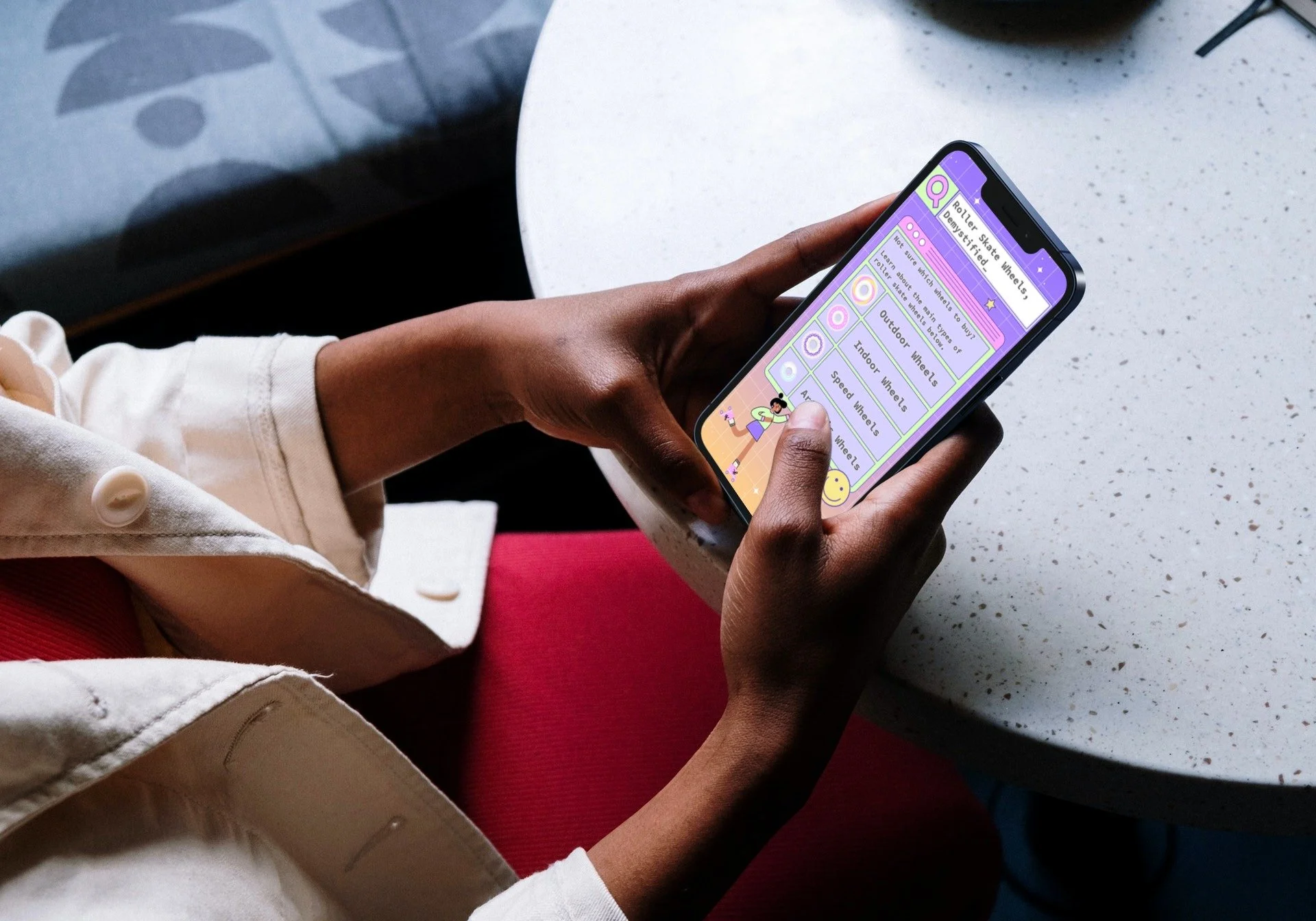
This end-to-end UX and content design project is a mobile reference guide that helps roller skaters make informed decisions when purchasing new wheels. The experience breaks down four common wheel types through clear, easy-to-understand content designed for users on the go.
Skills: UX design, content design, information architecture, UX writing, UX research
Audience: Roller skaters
Tools: Adobe XD, Articulate Storyline 360, AWS
Collaborators: Independent project (end-to-end ownership across research, design, content, development, deployment, and analytics)
Year: 2022
Overview
To simplify this process, I designed and built a mobile guide that helps skaters quickly understand the differences between roller skate wheels and choose the best option for their needs. I led the project end to end, including user research, information architecture, UX design, content strategy, content creation, development, and implementation. The guide was designed for mobile use so skaters could easily reference it while shopping, at the rink, or share it with others.
Process
User research
The first step in my process was to interview users. I wanted to learn more about the problems new skaters experience and how I could help solve them. Some takeaways from this experience were that users wanted information that was brief, tailored to their needs, and quickly accessible on the go. They wanted to cut down on the time spent researching and quickly reference information when needed, like at a store or when shopping online.
I also completed a competitor analysis and found that most of the existing guides were very lengthy and not optimized for mobile. I took note of the types of wheels mentioned and used this to inform the content of my guide as well.
Page 1 of the storyboard
Text-based storyboard
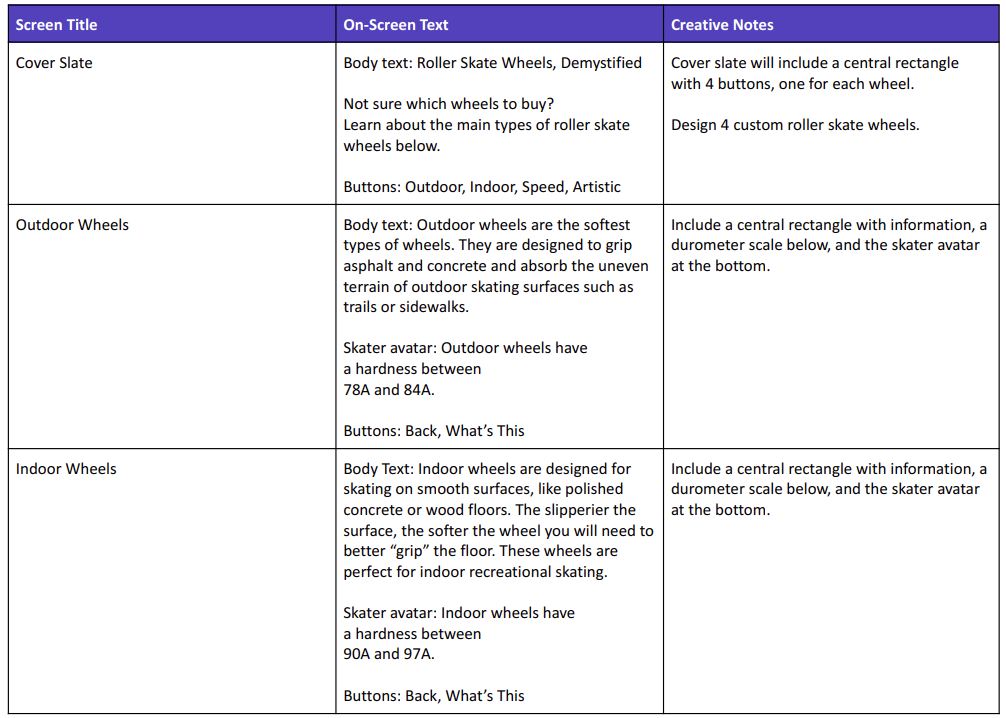
Next, I researched wheel types and identified the 4 most commonly used. I wrote brief descriptions of each one, and included general notes on visuals as well. The text of this guide went through many different iterations throughout the development process, and I was constantly editing to ensure the copy was brief, clear, and informative.
Visual mock-ups
Once the text-based storyboard was complete, I used Adobe XD to create visual mockups of each screen. I wanted the overall design of the project to reflect the fun and vibrant aesthetic of roller skating while still being easy to navigate. I created several iterations of key screens and components before deciding on a final look. I also customized 2 roller skating “avatars” and 4 different wheels.
Most changes I made at this stage were to streamline the design and increase accessibility, like increasing color contrast between the background and text and removing any overly distracting visuals.

Interactive prototype + user testing
Next, I developed an interactive prototype in Articulate Storyline 360 to get feedback from users.
Users were sent a test link and a form to provide feedback. Here’s what users had to say:
“This would be really helpful for me. I’ve been putting off buying new wheels for a long time.”
“I love the aesthetic!”
“On the homepage, I think you should be able to tap the images of the wheels as well as the text.”
“The descriptions are clear and helpful.”
Full development
After incorporating feedback from the interactive prototype, I was able to efficiently complete the remaining screens by using a consistent user interface. This not only saved time but also improving the overall usability for users.

Results and takeaways
This project received positive feedback from both roller skaters and content designers. Users said that the design appealed to roller skaters and that the information was easy to understand and informative. One user even credited this project with helping her make an informed decision on her new purchase of artistic wheels.
This experience not only allowed me to explore the balance between bold visual design and functionality but also provided me with valuable insights into user-centered design and writing for a mobile audience.